How to Make Graphics for NeoPets.com
***Please keep in mind all the screenshots belong to NeoPets.com EXCEPT Image #1.***
Ever wonder what you can do to brighten up your shop, lookup, pet page, or guild? Why not make a graphic? Here’s how to make a simple picture for your shop, user lookup, etc.
To make a graphic you will need Paint, or any other good paint program, a NeoPets account, you can get one at www.neopets.com, a place that you want to put your graphic, shop, lookup, etc., www.photobucket.com, or any other online photo album should work.
We will start with a simple picture to brighten up your page. First you need to pick a picture you want for your graphic, it can be of your NeoPet, an animal, anything you want that’s appropriate for NeoPets, and then you need to right click your image and click copy.
Once you have your picture copied paste it into Paint, or your paint program. You can edit it by either putting text under it, changing to colors, or just about anything you want.
After you have your image the way you want it save it as a jpg or gif file, jpg is better for regular graphics and gif is better for animations.
Now that you have your picture saved you need to upload it on the Internet so you can get the right code. If you are using Photobucket.com log in to your account and click Browse. If you don’t have an account you can create one for free and then click Browse.
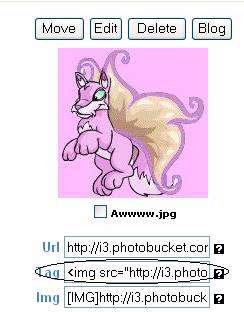
Once you click browse look for your picture. After you click your picture click submit. Now that you have your picture up you need to copy the second code. (See Picture 1)
Picture 1
Now you need to copy your code and paste it where you want it.
After you paste it where you want it click Update you whatever button you need to click to update your page. (See Picture 2)
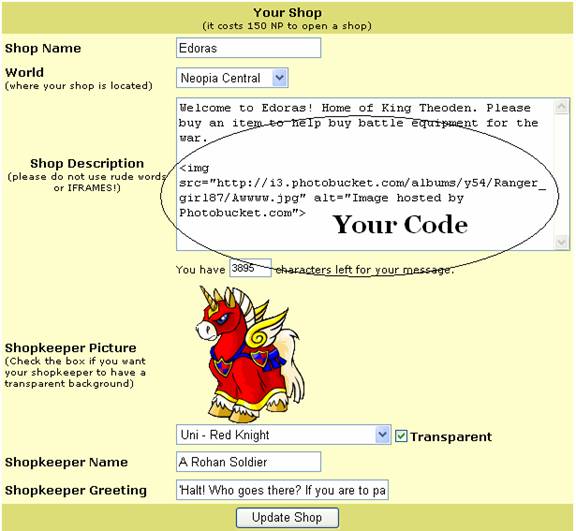
Picture 2
Now that your shop, or other page, is updated you want to view that page to see what it looks like. Your image, if in a shop, might look like this: (See Picture 3)
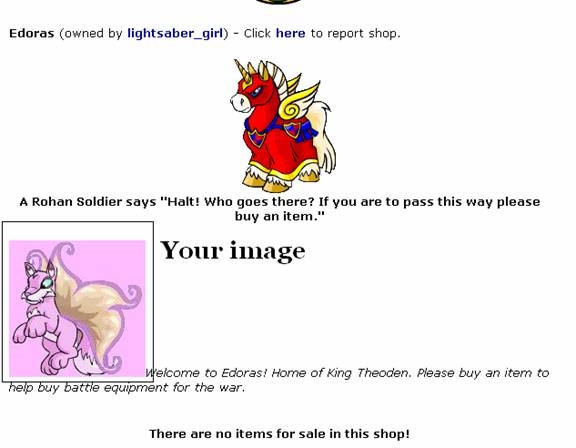
Picture 3
You can see that your picture isn’t centered. If you want it centered you might want to put this code before the picture’s code: <div align=center>
Now your code should look like this: <div align=center><img src=http://i3.photobucket.com/albums/y54/Ranger_girl87/Awwww.jpg”>
Now update your page and it should look like this: (See Picture 4)
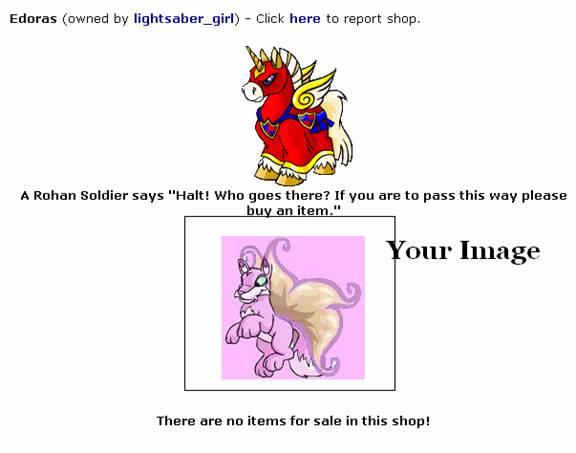
Picture 4
Now your picture should be centered. If you have font underneath your picture you might try: <br> before your font, so now your page should look like this: (See Picture 5)
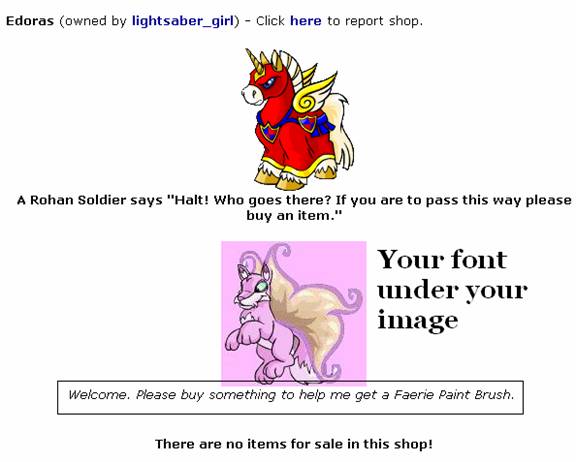
Picture 5
If your image turned out perfect give yourself a pat on the back! There are lots of other things you can make with Graphics like backgrounds, but those are a bit more complicated.
Now you have touched up your page to make it look nice! Don’t over do it or else it will be hard to see your page!! If you are on NeoPets and need help with this just give Ranger_girl87 a NeoMail!
I will try to update this later with pics but if you put <text_area> Your Image Text Here </text_area> then you can make a Text Box so other peoples can use your graphic!